 Kelsie Turner
Have your eye on a new course, hoping to snag a spot on a popular trip, or looking for more ways to get outside with your section? CMC has a feature that can help you stay in the loop, and it might be one of the most useful tools you’re not using yet!
CMC alerts and notifications let you know when new trips, courses, and section activities are added to the calendar. Instead of checking the website over and over, you can have updates delivered straight to your inbox so you don't miss activities you're excited about.
Make Your Alerts Work for You
You can customize your alerts to match your interests, schedule, and the parts of CMC you want to hear from.
Choose how often you hear from us
Decide when you want updates delivered to your inbox:
- Never: Turn off notifications.
- As soon as they’re added: Get notified when something new is posted.
- Daily digest: Receive a daily roundup of new items.
- Weekly digest: Get a weekly roundup to plan your next adventures.
Pick your favorite activities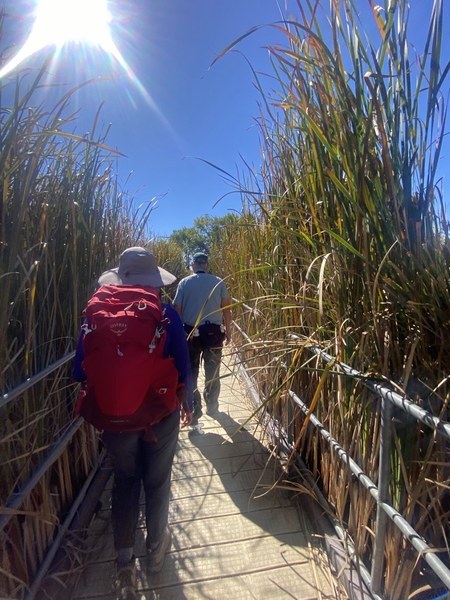
Interested in biking, backpacking, climbing, or another outdoor activity? Select the activity types you want to follow so you can keep an eye out for new trips that match your interests.
Find courses that fit your goals
Want to build your skills? Choose the course types you’re interested in, whether that’s scrambling, avalanche education, or something new you’ve been wanting to learn.
Follow your groups and sections
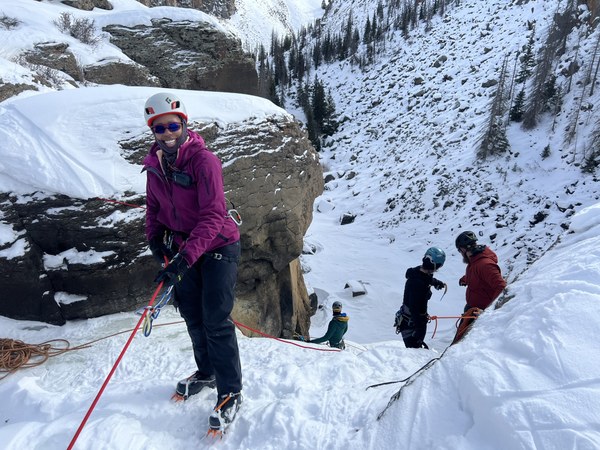
Want updates from your local group, or would you rather see what’s happening across the whole club? You can choose to receive alerts from specific groups or all CMC groups.
And there’s more! Sections are now available as a notification category, too. If you're part of a section like Trailblazers or Rocky Mountain Over the Hill Gang, you can set alerts to hear when your section adds new trips to the calendar. It's an easy way to keep up with the activities and communities you’re already part of.
Mix and match your preferences to create a setup that works for you!
A Little Heads-Up Can Make a Big Difference
Popular trips and courses can fill up quickly, and getting notified when something new is posted can help you stay on top of the activities you want to join. If you’ve ever checked the calendar only to find that a trip is already full, setting up alerts is a great way to get ahead of the game.
And if you do land on a waitlist, don’t count yourself out just yet!
Plans change, and people often cancel closer to an activity date. Spots can open up, so staying on the waitlist may just earn you a spot on the roster. Waitlists also help leaders and instructors gauge interest in an activity. When lots of people are interested, that can help inform whether another trip or course might be offered.
Can't make it after all? If you can no longer attend a trip or course, be sure to cancel your registration as soon as you can. You’ll help open up a spot for someone on the waitlist who’s hoping to join.
Ready to Get Your Alerts Set Up?
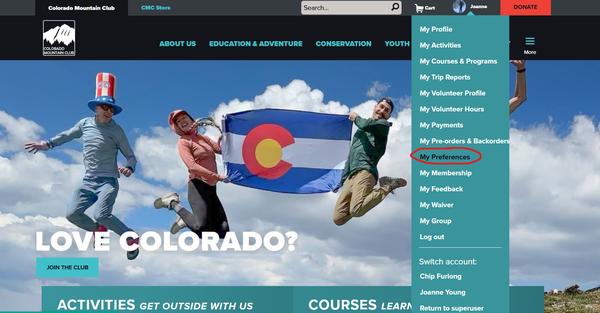
Make sure you’re logged in to your CMC account, head to your profile, and select “My Preferences.” From there, follow the steps below to find your alert and notification settings.
Choose your preferred update frequency, select the activities and courses you’re interested in, and decide which groups and sections you want to hear from.
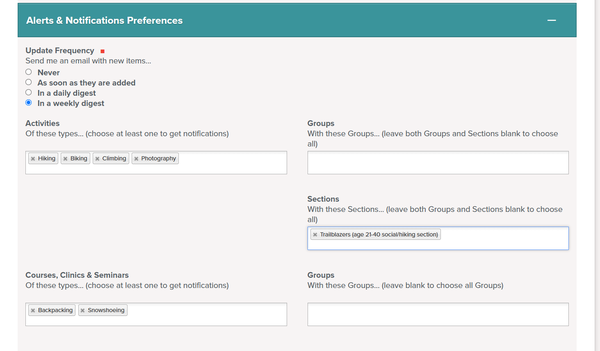
Then you’re all set! Less calendar-checking, more time planning your next adventure.
Your next favorite trip might be just around the corner. Make sure you’re in the loop!
- For more helpful tips and tricks, check out the Member Resources page!
Add a comment
Log in to add comments.